How to know if someone has read your email
There’s no single magical button or secret hack that gives you perfect visibility for every email. Modern inboxes guard their users’ data aggressively, and at the same time, ‘read’ signals can be deceiving.
Given the volume of emails hitting every person’s inbox daily, think about how many times the average person simply skims their new email previews, selects them, and then clicks ‘mark as read’. In fact, is there really anyone who doesn’t do that?
But with the right methods, you can still pick up certain kinds of signals (explicit, implicit, and behavioral) that, when combined, tell a much more reliable story.
1. Read receipts
Read receipts are the first, original way people tried to confirm whether an email was opened. They still exist, but they’re nowhere near as effective as they used to be.
Most modern email providers either block them right away or, at the very least, make the recipient choose whether to send a read receipt, which basically defeats the whole point.
The way it works is fairly simple: when you enable a read receipt, your email includes a small header called Disposition-Notification-To (DNT), which politely asks the recipient’s email client to send you a confirmation if and when the message is opened.
Gmail (Workspace)
In Google Workspace, read receipts are available only for business domains, so if you’re on a personal Gmail account, you can skip this section altogether.
On a business account, simply click the three dots on the panel, and select “request read receipt”. Even if your admin turns this feature on, Gmail still prompts the recipient to manually approve every single read receipt. It’s not automatic, and it’s not subtle.
They see a message that says, “[First Name] requested a read receipt. Send?”
As you can imagine, most people hit “No” without thinking twice.
Gmail also doesn’t send any delivery confirmation, so even if your email lands in the recipient’s inbox successfully, you don’t get any confirmation.
Outlook (Microsoft 365)
For Microsoft users wondering how to know if someone read your email, Outlook handles things a little differently. It has two types of notifications: “delivery receipts” (email reached the inbox server) and “read receipts” (email was opened).
The catch is that most IT departments disable both by default. If you’re sending internally within a Microsoft organization, it might work. But outside of that? Don’t count on it. Outlook also tends to block external read receipts for privacy and security reasons, especially when mail flow passes through third-party filters.
Read receipts may look good in theory, but in modern communication, they’re unreliable and outdated. Ultimately, if you’re trying to figure out how to know if someone read your email in Gmail or Outlook, read receipts give you very limited options.
Where they still matter is inside organizations that need verifiable proof that something was received, especially in legal, healthcare, government, or corporate compliance systems. A policy update that requires confirmation or a signed NDA notice might still use read receipts as part of the audit trail.
For everyone else, there may be better options, which we will discuss right away.
2. Chrome extensions
There are several lightweight Chrome extensions that give solo users a quick way to see whether their emails are read, most notably, Mailtrack, Yesware, and Boomerang.
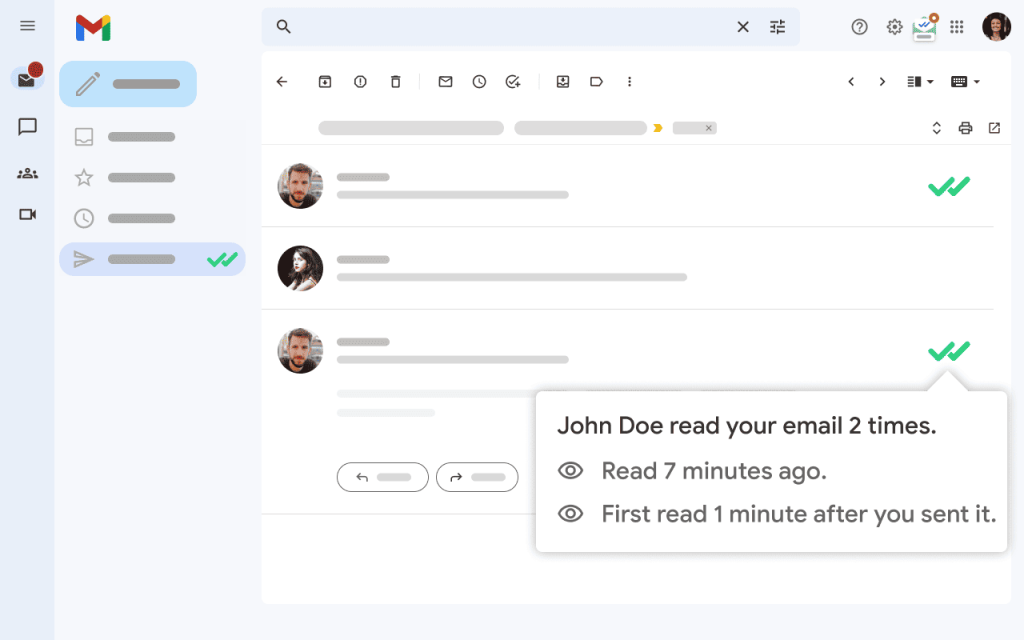
Source: Mailtrack Chrome extension
They inject a tracking pixel (a tiny invisible image) into each message you send. When the image loads, you get a ping, simple as that.
That would work great in theory, but this is where email providers’ automated privacy tools start interfering.
A prime example is the Apple Mail Privacy Protection (MPP), which now preloads every image through Apple’s servers, logging opens even when the recipient never looked. Gmail and Outlook do something very similar, and corporate filters sometimes block pixels in incoming mail altogether.
Still, they have their uses. For example, a freelancer pitching a proposal to ten clients can use one of those Chrome extensions to see who opened and when. If three prospects opened twice within an hour, that’s a hint to follow up immediately while interest peaks, and the others can wait.
Advanced users sometimes combine these extensions with Google Sheets integrations to build mini dashboards, tracking open patterns by time of day or geography. It’s not perfect data, but it’s actionable.
But while extensions are convenient for individuals or small teams, they’re unreliable and insufficient for businesses. They also don’t scale, so if you send more than ~30 emails/day, Gmail can flag extension-based tracking as “suspicious link behavior,” which slowly hurts deliverability.
3. Email automation platforms
If you’re a business or a solo professional who needs accurate and consistent email reporting, this is the one and only method. This is the only approach that gives reliable engagement signals at scale, and it’s why every modern sales team now treats email tracking as part of a larger sales strategy rather than a standalone hack.
Leading email automation platforms like Reply.io track whether your emails get opened and read, but their features go far beyond that.
Here’s how it works under the hood: each outgoing message carries a unique tracking pixel and branded redirect links. When the email or link is opened, the system records that event and cross-checks it with engagement patterns — time of day, number of opens, device type.
When patterns look human (for example, an open at a reasonable time followed by a link click a few minutes later), the system marks it as real. If it looks like automated prefetching, it’s ignored.
Sales teams can use it to trigger automated but contextual follow-ups. For instance, if the prospect opened and read the email but didn’t reply within 48 hours? Time for a lighter-touch follow-up or LinkedIn connection message instead of the same pitch.
But that’s just the tip of the iceberg.
While read recipients and Chrome extensions are unreliable in the long run, Reply.io not only gives accurate and consistent email tracking, but an array of features that increase the chances of your emails getting opened, read, and replied to:
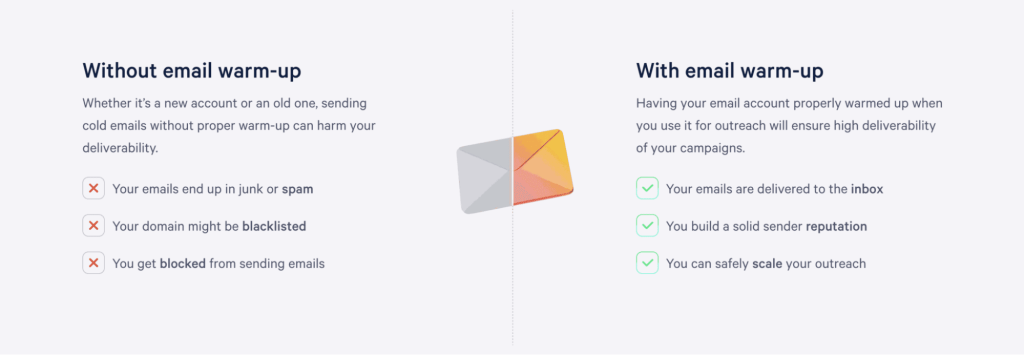
- Premium email deliverability and authentication setup, including automated domain warm-up, to ensure all your emails reach their designated inboxes at all times. On top of that, smaller, business-related features like unsubscribe links, email validation, and inbox rotation to stay compliant, avoid spam traps, and keep bounce rates low.
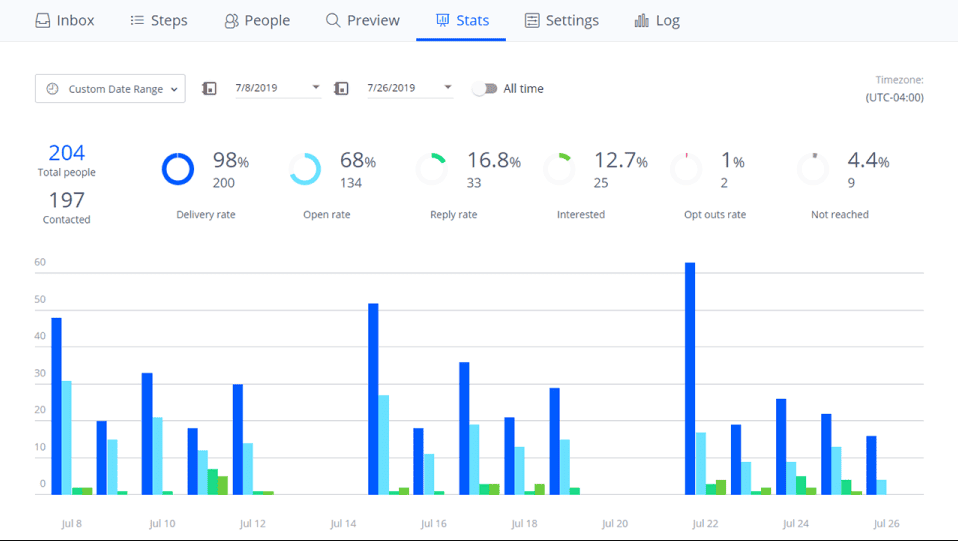
- Detailed analytics into the performance of your email outreach (as well as other channels, including LinkedIn, messengers, and more), clearly showing delivery, open, reply, and click-through rates in real time for each recipient:
- If you’re serious about your outreach, leverage multichannel outreach sequences with automated, conditional touchpoints across email, LinkedIn, WhatsApp, SMS, and calls to spark better engagement.
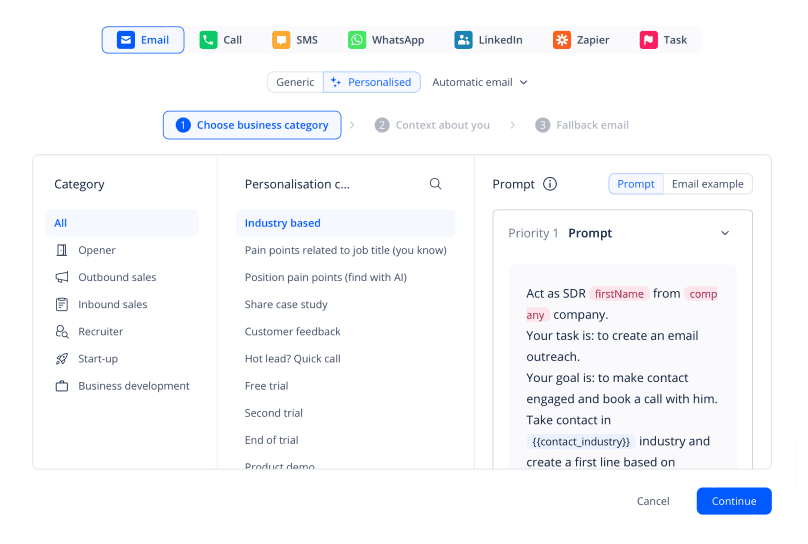
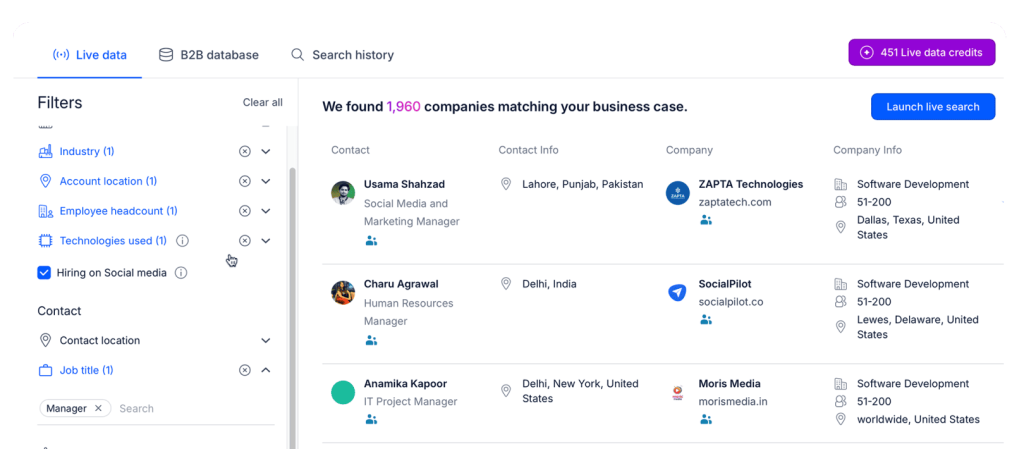
- AI-driven personalization is the core of this platform, leveraging individual and company data to hyper-personalize every email, follow-up, and LinkedIn message with the most relevant and up-to-date information.
If you’re just looking to keep track of your personal emails, this solution will probably be overkill. But for teams whose revenue depends on outreach, the ROI of a powerful email automation platform like Reply.io cannot be overlooked.





![The Ultimate Email Deliverability Toolset for 2026 [15+ Tools]](https://test.reply.io/wp-content/uploads/deliverability-300x158.jpg "The Ultimate Email Deliverability Toolset for 2026 [15+ Tools]")