How can LinkedIn Sales Navigator improve startup discovery?
Sales Navigator is LinkedIn’s premium prospecting tool, and it’s a powerful one.
If you’re looking for high-growth startups, it offers deeper data, smarter filters, and real-time signals.
Here’s how to find startups on LinkedIn using Sales Navigator
Use advanced filters built for prospecting
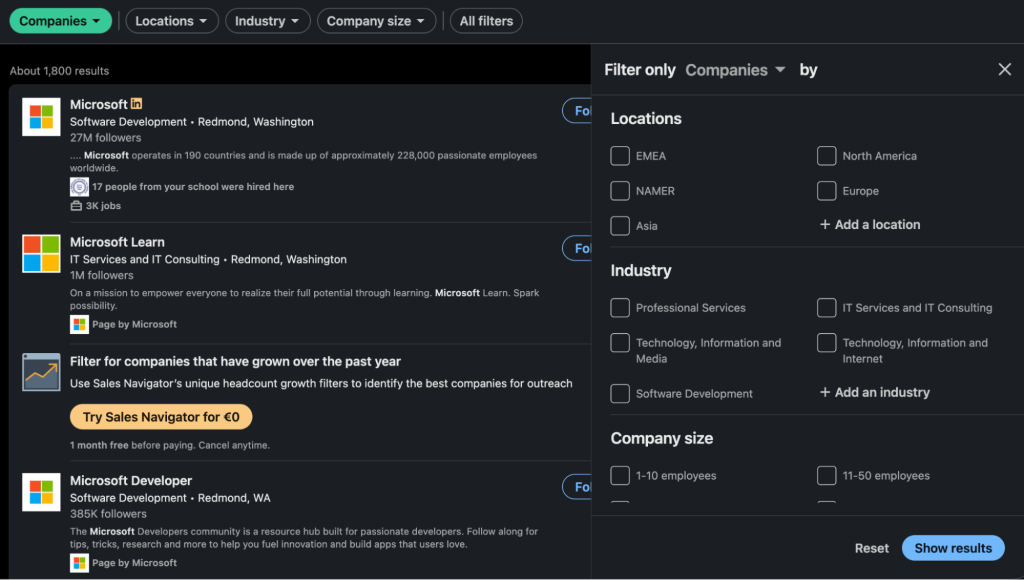
Sales Navigator gives you filters that the free version doesn’t even come close to.
You can use it to find startups based on company growth, funding activity, and more. You won’t get that with the regular LinkedIn interface.
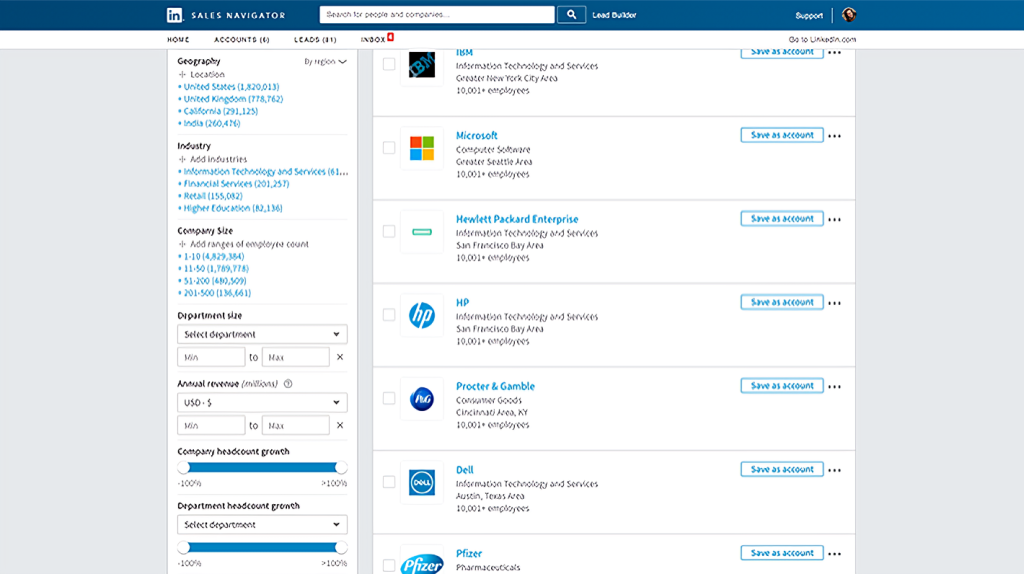
Source: LinkedIn
Start with the filters below.
- Employee growth to identify companies hiring quickly
- Funding alerts to know when startups raise capital, pulled from trusted sources
- Recent hires to identify scale-up activity
- Tech tags and company size to filter leads by the tools they use or specific team sizes
With these filters, you can easily zero in on startups actively building.
Tap into AI-driven lead suggestions
Save a few searches and lead lists. Thereafter, Sales Navigator begins to surface suggestions based on your targeting behavior, connections, and industry overlap.
These recommendations can help uncover startups that aren’t using the typical keywords, but still match your ICP.
It’s a smart way to catch early-stage companies flying under the radar.
Build and manage lead lists effectively
You can create dynamic lead lists using filters like funding stage, team size, geography, or industry vertical. Once saved, apply alerts to be notified when a company hires, grows, or posts new content.
Pro tip: Organize lists by persona, deal stage, or territory. That way, you can ensure your outreach is a repeatable, easy-to-implement process.
Prioritize startup decision-makers
Use role filters to find the right people, such as founders, CEOs, Heads of Growth, or VP-level roles.
In addition, check profile activity, recent job changes, and shared connections to prioritize who to contact first and how to approach them.
Know when Sales Navigator is worth it
Sure, Sales Navigator is powerful. However, it’s not free.
To achieve a positive ROI, it’s best to get it if you’re prospecting daily or coordinating across a team. Otherwise, you’re better off starting with a free trial and scaling as needed.
How to identify and connect with startup founders and key employees?
Finding a startup is one thing. However, pinpointing startup founders on LinkedIn, and by extension, the decision-makers is another.
Luckily, we’ll show you how to do it in the section below.
Target the right titles with smart filters
Start by narrowing your search by job title, company size, and founding date. The combo helps you filter out enterprise roles and hone in on early-stage teams.
Look for titles such as Founder, Co-founder, CEO, Head of Growth, Product Lead, or Early Employee. These usually tie directly to startup decision-makers, especially in teams of fewer than 50 people.
Spot startup signals in profiles and pages
Scan profiles and company pages quickly for signs of activity.
Typical indicators include recent funding, accelerator programs, or product launches. In addition, check how often founders mention these milestones directly in their headlines, bios, or pinned posts.
Follow and connect with intent
Before you reach out, follow the founder or company.
That way, you can get them on their radar and pull their content into your feed. Once you’re ready to connect, you can personalize your message based on what they’ve shared. The benefit is that your outreach feels more natural and timely.
Use contact enrichment tools to go further
LinkedIn alone doesn’t always provide verified contact information.
Therefore, you can use Reply Data or a dedicated LinkedIn scraper like Findy to find email addresses linked to profiles.
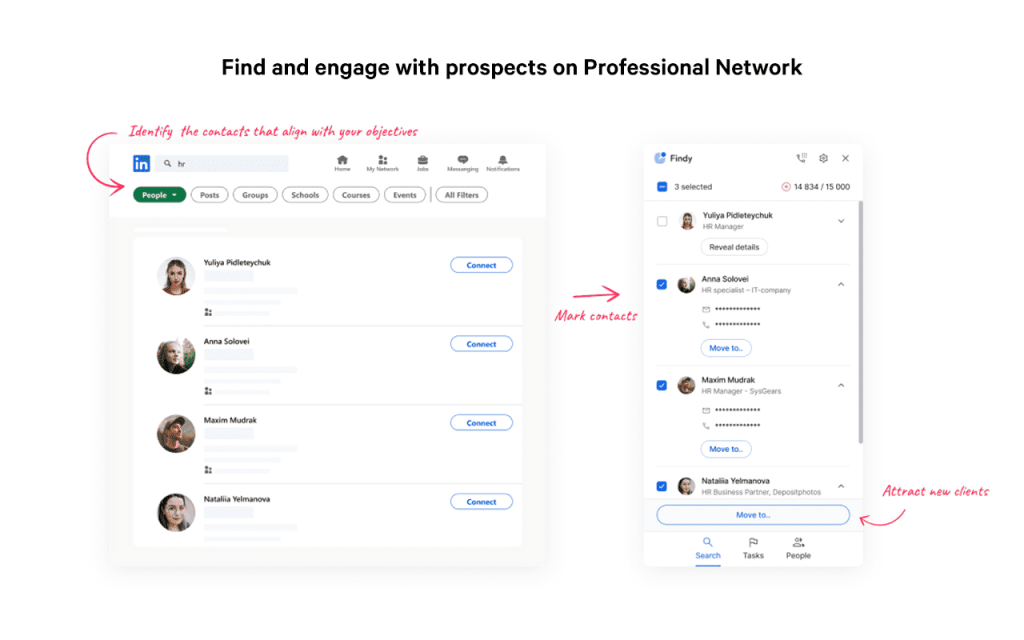
Pro tip: Be sure to enrich your lead list before you reach out, especially if you plan to follow up by email after a connection request.
Personalize your outreach to get replies
When it’s time to reach out, send a short, focused message.
One of the easiest ways to capture the founder’s attention is to reference something specific, such as a recent post, a shared interest, or a mutual connection. As a rule of thumb, keep your value proposition clear and end with a soft CTA.
Example:
“Hi [Name], came across your profile via [group/post]. I loved your take on [topic]. I help early-stage teams with [value prop]. Happy to connect and discuss this further.”
Now, the issue here is that if we’re talking about hundreds, let alone thousands, of potential startup founders and decision makers that you need to reach out to, this simply cannot be done manually.
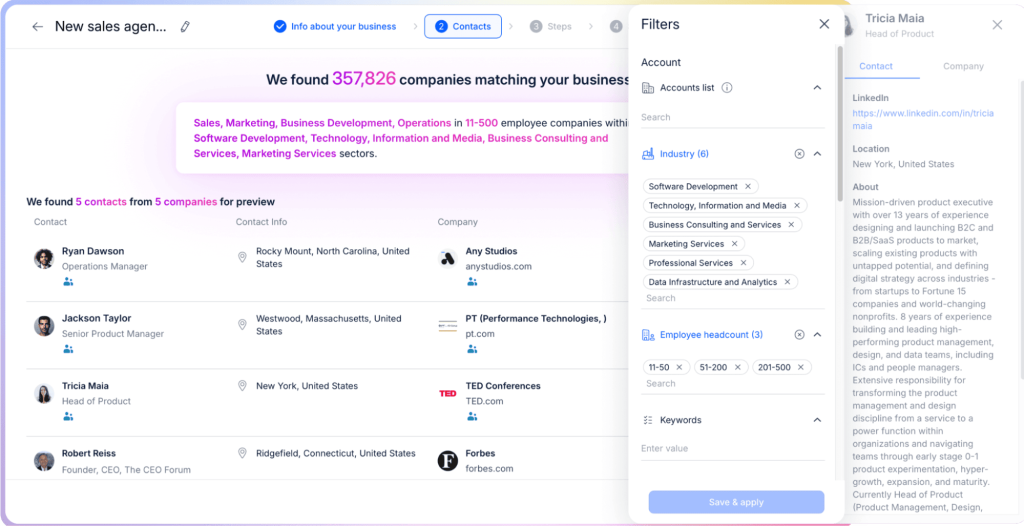
This is where it is absolutely necessary to gear up with a multichannel outreach tool like Jason AI, an AI-powered sales agent, to automate your entire LinkedIn lead generation, LinkedIn outreach, and email outreach under one roof.
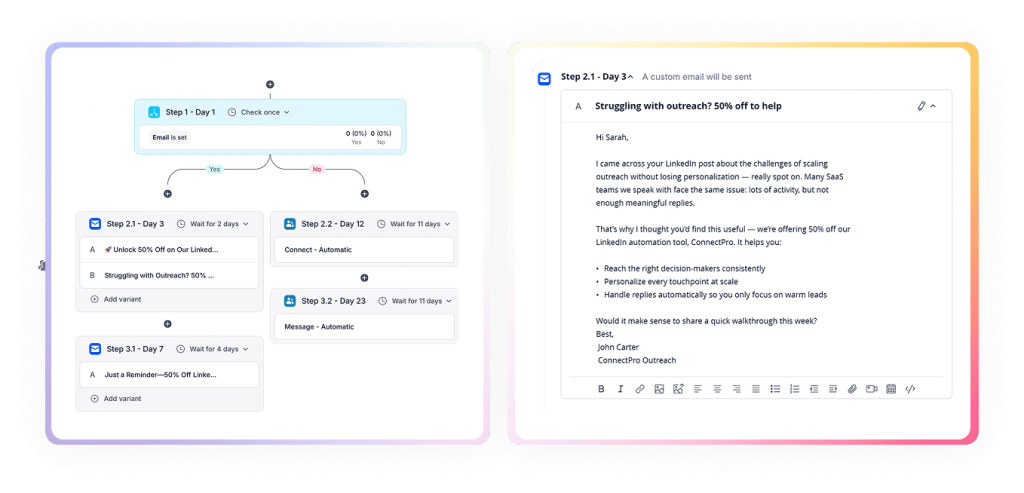
Once Jason AI learns about your company, product, and value proposition, it will then start going through LinkedIn, its native lead database, and other external sources to find the most relevant companies and professionals. So, if you’re targeting tech startups in the US market — you simply tell Jason, and he will take care of the rest.
And once he’s got those contact lists ready, its AI engine will then create tailored outreach sequences for each unique account, using conditional logic to choose the most optimal channel, message, and timing for each step based on real-time behavior.
Let’s say Jason sets day 1 as a LinkedIn connection request. If it’s not accepted by day 3, it will then send a hyper-personalized email to the prospect, perhaps referencing their recent post about an achievement. If another 2 days pass — a short, personalized follow-up, and so on.
This way, your team can actually focus on improving the product and building long-term connections with their target startups, while Jason AI handles virtually all admin work on their behalf.




![The Ultimate Email Deliverability Toolset for 2026 [15+ Tools]](https://test.reply.io/wp-content/uploads/deliverability-300x158.jpg "The Ultimate Email Deliverability Toolset for 2026 [15+ Tools]")